
A customer opens two tabs. One business uses a free email address, the other uses name@brand.co.ke. In a few seconds, the second one feels more real, more local, and safer to contact, so yes, the best way to Register a .co.ke Domain and set up business email is through a trusted KeNIC-accredited registrar, then connect that domain to branded email.
That first impression matters online in Kenya because people judge trust fast, especially before they send an inquiry or pay. A .co.ke name signals local presence, while a branded email boosts credibility, helps people remember your business, and gives buyers more confidence at checkout. In this guide, you’ll see how .co.ke registration works through KeNIC’s accredited registrars, what it may cost in 2026, how to choose the right provider, and how to set up professional email without stress, with setup often taking about 1 to 3 days.
Register a .co.ke Domain the right way, before someone else takes your name
A .co.ke domain is the web address built for Kenyan businesses. It tells people you operate here, sell here, and expect local customers to trust you here. For shops, agencies, schools, clinics, contractors, and service providers, that local signal matters because buyers often decide in seconds.
If you want to Register a .co.ke Domain, act early. These names are handled on a first-come, first-served basis under KeNIC, so the right name can disappear while you’re still thinking about it. In 2026, .co.ke names are still one of the clearest ways to look established in Kenya, especially when you plan to pair the domain with a branded business email later.
Pick a domain name people can say, spell, and remember
A good domain should sound natural in real life. If someone hears it once in a phone call, on radio, or in a WhatsApp voice note, they should type it correctly without help. That is why short, plain names usually win.
Start with your business name if it’s already clean and easy to say. If that won’t work, tie the domain to your service or place in a simple way. For example, velvamassage.co.ke, aromaspa.co.ke, or rosemassage.co.ke are easy to picture and easy to repeat.

Keep these habits in mind while narrowing your list:
- Keep it short: Short names are easier to type on a phone and harder to forget.
- Match the brand: Your domain should sound like your shop sign, service name, or public identity.
- Use location only when it helps: Add Nairobi, Mombasa, Kisumu, or Nakuru if your market is local and the name still stays clean.
- Avoid clever misspellings: If you have to explain it twice, people will still get it wrong.
- Skip extra numbers: A name like
bestdeals254.co.kemay work, but it is weaker than a clear brand name. - Avoid hyphens unless truly needed: They slow people down and create typing mistakes.
KeNIC-managed .co.ke names usually need to be 3 to 63 characters, and numbers or hyphens should only appear in the middle, not at the start or end. So even when the rules allow a name, that does not mean it is a good one.
Think about how your domain travels. A clean name works better in:
- Word-of-mouth referrals
- Radio mentions
- Business cards
- WhatsApp shares
- Google search recall
A messy name is like giving someone directions with too many turns. A simple one is like saying, “Take the main road, you can’t miss it.”
If your exact name is gone, don’t panic. Try a close variation that still sounds natural. Add a service word, a city, or a broader brand term. For example, if barakafurniture.co.ke is taken, you might still secure barakahome.co.ke or barakainteriors.co.ke. The key is to stay clear, not desperate.
If you want more ideas before you commit, this 2026 Kenya domain name selection guide gives a useful local view on picking a name that still works as your business grows.
If a customer can’t say your domain out loud without slowing down, it’s probably too hard to own.
Check availability, confirm the real price, and buy from a trusted registrar
Once you have a shortlist, move fast. A .co.ke registration is first-come, first-served, so waiting too long can cost you the name. The safest route is to buy through a KeNIC-accredited registrar, not a random reseller with vague ownership terms.
The flow is usually simple. You search the name, review whether it is available, add it to cart, create an account, enter your registrant details, and pay. Most Kenyan providers support M-Pesa, while some also accept cards.
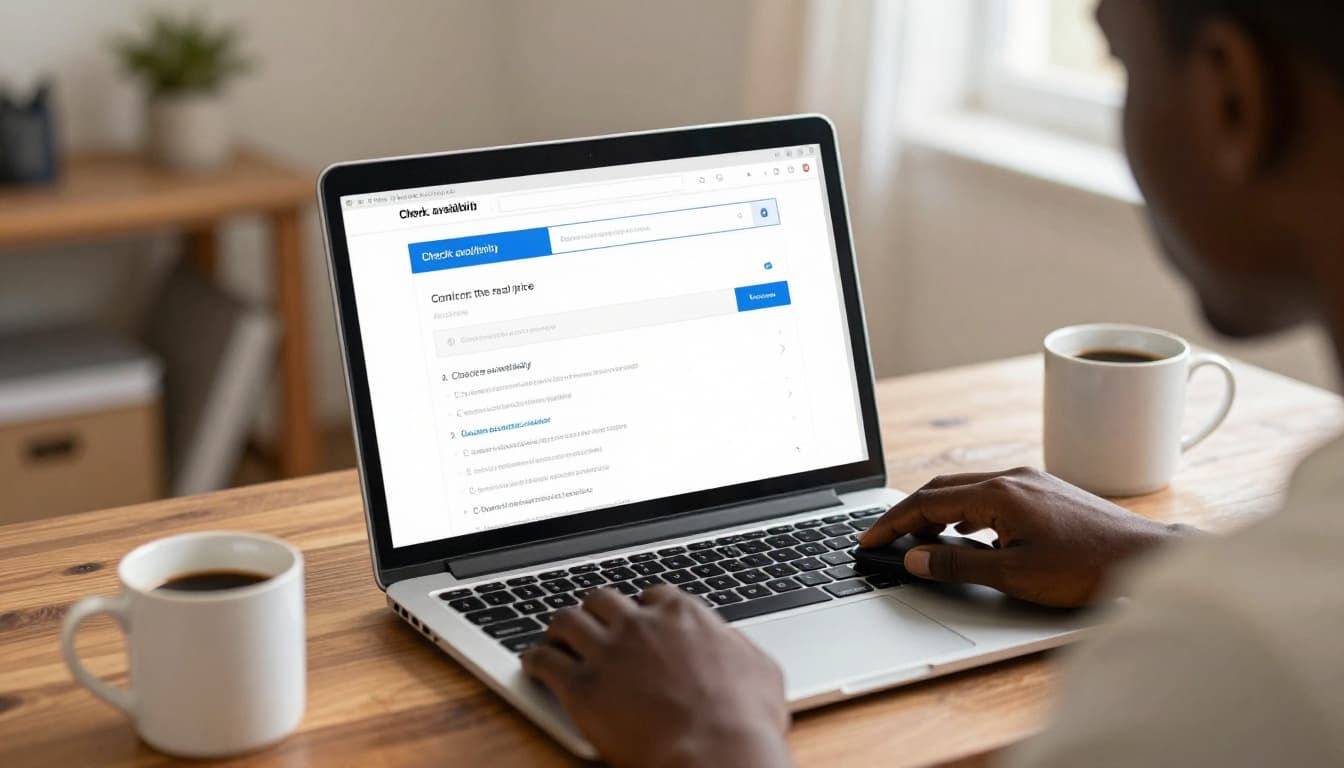
Before you pay, slow down and check the price properly. Many providers advertise a low first-year deal, then renew at a higher rate. In Kenya in 2026, .co.ke pricing can range from a few hundred shillings on short promo deals to over KSh 2,000, depending on the registrar, bundled features, and renewal terms. A common range from local providers is often around KSh 900 to KSh 1,500 for registration, with renewals often sitting higher. That gap matters.
This is the practical buying order to follow:
- Search the exact name and a few backups.
- Confirm availability before you get attached.
- Read the displayed price carefully, then check the renewal fee.
- Verify the registrar is KeNIC-accredited.
- Create your account using your real business email and phone number.
- Enter accurate registrant details, because this affects ownership and account recovery.
- Pay and save everything, including invoice, login details, and confirmation email.
A cheap domain is not always a smart buy. Compare a few basics side by side before choosing.
| What to compare | Why it matters |
| | |
| Registration price | Tells you the first-year cost |
| Renewal price | Shows what you will really pay later |
| DNS control | Lets you connect hosting and email without delays |
| Account access | Confirms you control your own domain |
| Support quality | Helps when DNS or renewals go wrong |
For many local buyers, very high international pricing makes less sense, especially when a Kenyan registrar offers billing in shillings, M-Pesa payment, and support that understands the local market. Price still matters, but it should not be the only thing you compare. Ownership, support, and DNS access matter just as much.
If you’re comparing local options, these domains for Kenyan websites can help you benchmark what a proper domain service should include.
Your domain account should belong to you, not your developer, not your cousin, and not the person who paid once on your behalf.
Set your DNS correctly so your website and email work later
Buying the domain is only step one. After that, you need to point it to the right services. That is where DNS comes in.
In simple words, DNS is the settings panel that tells the internet where your website and email live. Your domain is just the address. Your hosting is the building. Your business email is another room in that building, or sometimes a different building altogether. DNS connects them.
That is why people get confused after they register a domain. They expect the site and email to work right away. But a domain alone does not host a website, and it does not create email by itself.
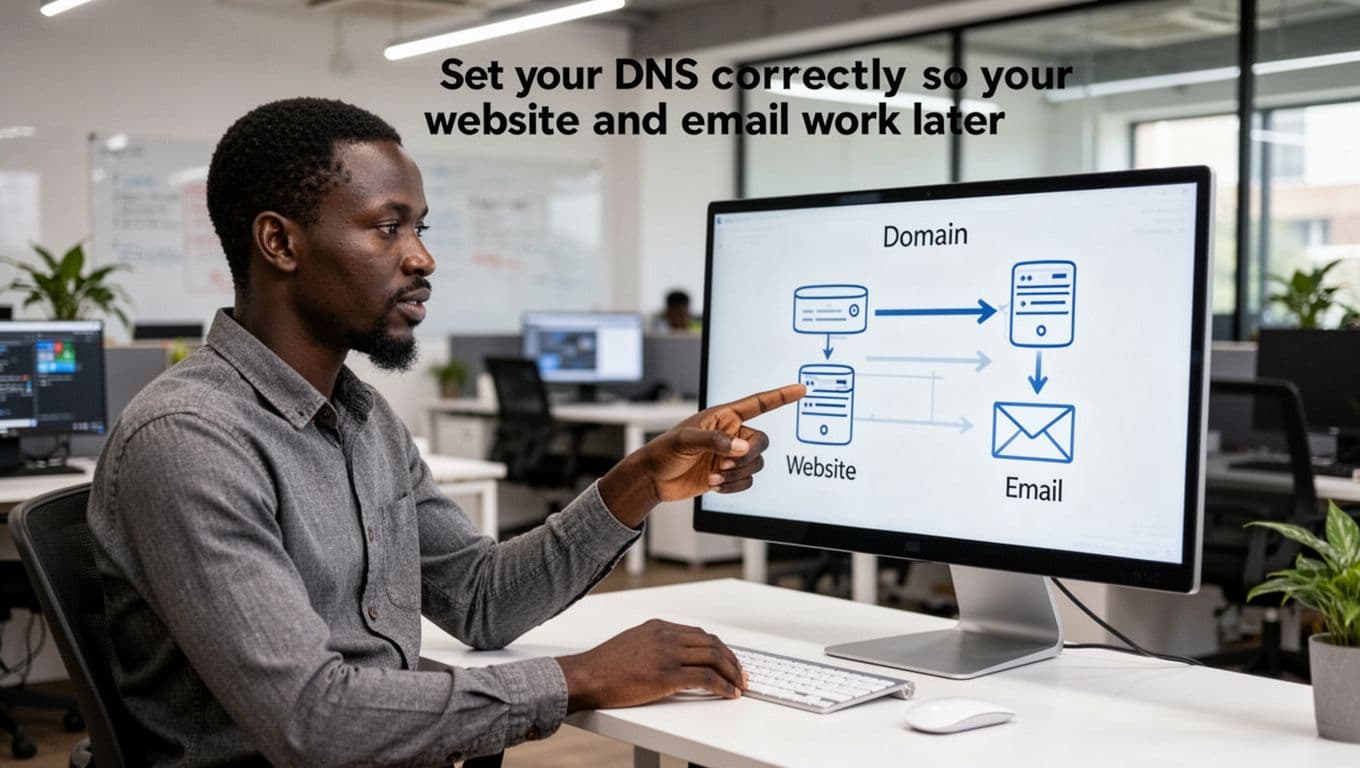
Here are the main DNS pieces you will hear about:
- Nameservers: These decide which company controls your DNS zone.
- A records: These point your domain to your website server’s IP address.
- MX records: These tell the internet where to deliver your email.
- TXT records: These help with email verification, spam protection, and service checks.
You do not need to master all of that on day one. Still, you should understand one important point: the domain, hosting, and email can be with one provider or with separate providers. Both setups can work.
Using one company for domain and hosting is easier for beginners because there are fewer moving parts. Support is simpler too. If something breaks, you contact one team. On the other hand, keeping services separate gives you more control, which some growing businesses prefer.
A basic setup often looks like this:
- Your .co.ke domain sits with a KeNIC-accredited registrar.
- Your website hosting sits with a hosting provider.
- Your business email may sit with the same host or a separate email platform.
- Your DNS settings connect the domain to both.
Set this up carefully now, and your website launch will be smoother later. More importantly, your branded email will work properly when it is time to send quotes, invoices, and order updates from your own domain.
How to choose the best registrar for your business, not just the cheapest one
The cheapest domain deal can look sweet on day one and turn sour a year later. When you Register a .co.ke Domain, you are not just buying a name. You are choosing who controls a key business asset, how fast problems get fixed, and how easy it will be to connect your website and email later.
A good registrar feels like a solid landlord, quiet when things work, steady when something breaks. Price still matters, of course, but trust, access, billing clarity, and support matter just as much.
What to look for before you pay for a .co.ke domain
Before you pay, slow down and compare the basics that will matter long after checkout. In Kenya, there are many KeNIC-accredited registrars, and that matters because .co.ke domains should be handled by providers with direct, recognized access to the local registry.
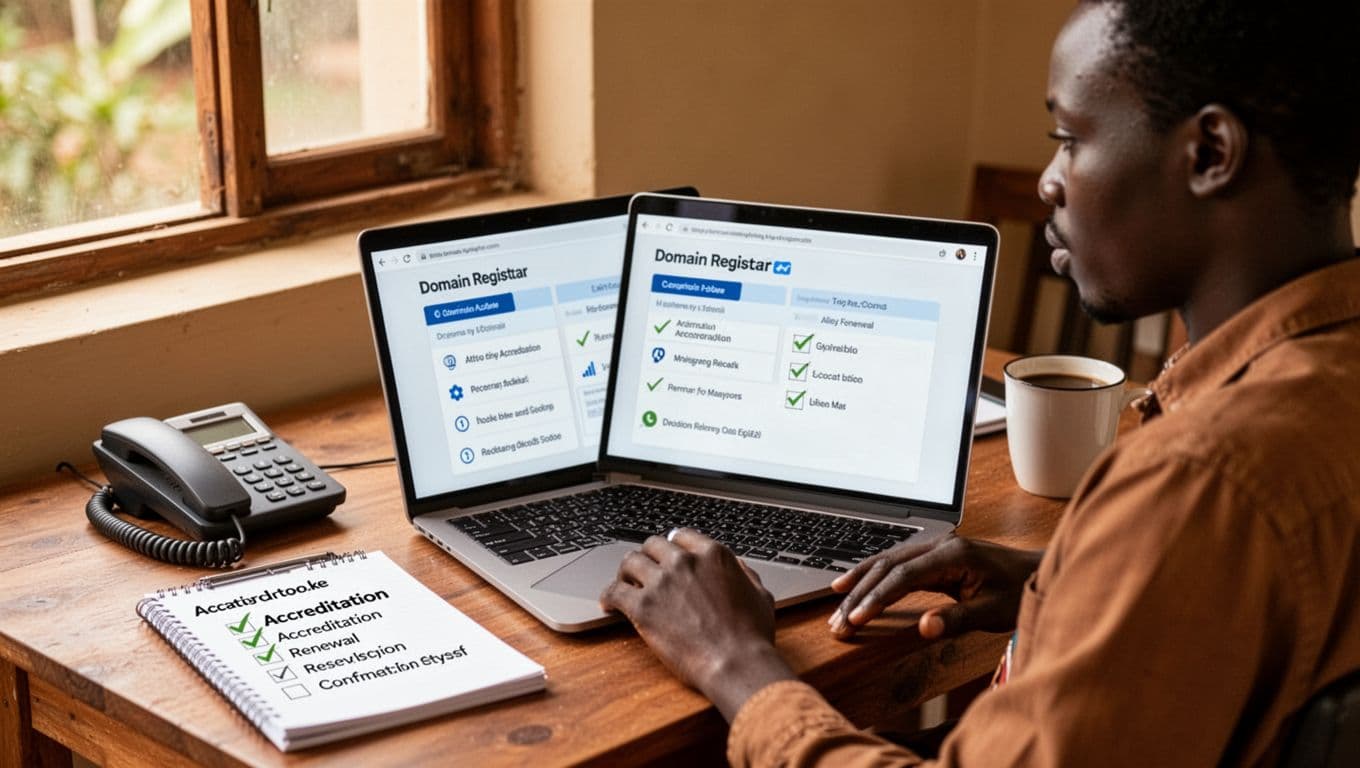
Here are the must-check items:
- KeNIC accreditation: This is your first filter. If the provider is not accredited, ask how they handle .co.ke registrations and who really holds the domain.
- Clear renewal rates: A low first-year price can hide a higher renewal later. Many .co.ke domains sit around normal local ranges, so a deal that looks unusually cheap deserves a second look.
- Full DNS control: You should be able to edit nameservers, A records, MX records, and TXT records without begging support every time.
- WHOIS or contact management: Your registrant and admin details should be editable when your phone number, email, or team changes.
- Transfer options: A good registrar does not trap you. If you need to move later, the process should be clear.
- Uptime reputation: Even if the registrar is not your host, their control panel and DNS tools should be stable and available.
- Support speed: When email stops working, slow replies feel like a locked shop door. Fast support matters more than flashy marketing.
- Payment methods: For many small businesses, M-Pesa, local bank payments, and billing in Kenyan shillings make life easier.
The control panel also matters more than people expect. If it feels confusing, simple tasks become risky. A clean dashboard saves time when you need to update DNS for email, connect hosting, or renew quickly before expiry.
Ownership is the part many business owners miss. A freelancer or agency may offer to “handle everything,” but if they register the domain in their own name, you can lose control later. That creates trouble during disputes, redesigns, unpaid invoices, or even something as simple as a staff change.
Your business should own the domain, control the billing email, and hold the registrar login from the start.
Use a company email address that the business controls, not a personal email that may disappear with one employee. The registrar account, invoices, recovery options, and renewal notices should all point back to the business. If someone helps you set things up, fine, but they should be a helper, not the owner.
If you want a wider view of the buying process, this guide to domain registration in Kenya gives useful context on pricing, steps, and common mistakes.
When a local registrar makes life easier
A local registrar is not always the best choice for every business, but for many Kenyan SMEs, it is the more practical one. The difference shows up when the bill is due, when DNS breaks, or when you need help right now, not after a long overnight ticket queue.

Many Kenyan registrars offer things that fit real local business life:
- M-Pesa payments, which are faster and more familiar for many owners
- Phone support during local hours, when you can actually reach a person
- Billing in KES, which makes budgeting easier
- Faster help with .co.ke issues, because the provider works in the local system every day
That does not mean every local registrar is great, or every global provider is bad. Some local companies have excellent support and clear billing. Others may still feel clunky. In the same way, some international providers offer polished tools, but their payment methods, time zones, and support flow can be less convenient for a Kenyan business owner.
This matters most during stressful moments. If your website is live but email stops routing because an MX record changed, you want help that comes fast and makes sense. A provider that understands local business needs, local payments, and the .ke space can often save time.
There is also a middle path that works well. Some businesses keep their domain with a local registrar, then later connect the domain to a global email provider for stronger inbox tools, storage, or team features. That setup is common, and it can be a smart balance. You keep local billing and registrar support, while still choosing the email platform that fits your team.
So, when you Register a .co.ke Domain, think beyond the checkout page. A registrar should fit how your business actually runs, not just how cheap the first invoice looks.
Should you buy domain, hosting, and email in one place or split them up
There are two workable paths here, and neither is wrong. The right choice depends on how much simplicity you want today versus how much flexibility you may want later.
This quick comparison makes the trade-offs easier to see:
| Setup | Best for | Main upside | Main downside |
| | | | |
| One provider for domain, hosting, and email | Beginners, small teams, busy owners | Simpler setup, one bill, one support contact | You may outgrow the email tools or feel locked in |
| Separate providers | Growing teams, businesses with specific email needs | Better flexibility, stronger email options, easier to upgrade parts | More moving pieces, more DNS work, support can get split |
Using one provider is often the smoothest starting point. You register the domain, choose hosting, create email, and manage everything in one dashboard. Support is also simpler because there is no finger-pointing between vendors. If something fails, you contact one team. That is a big relief when you are just getting started.
This approach works especially well if you want bundled setup and predictable management with your domain and web hosting plans. For a small business website with a few mailboxes, that can be the easiest route.
Still, bundled services have limits. Some all-in-one providers offer basic email that works fine for small teams, but may feel thin once you need shared calendars, larger storage, advanced spam filtering, or tighter admin controls.
Splitting services gives you more room to choose the best tool for each job. For example, you might keep your .co.ke domain with a local registrar, host the site with one company, and run business email on a separate platform. That setup can be stronger, but it needs more care because DNS becomes the bridge between all three parts.
Here is the practical trade-off:
- One provider is easier to manage: Fewer passwords, fewer invoices, less confusion.
- Separate providers give you better choice: You can upgrade email without moving the domain or website.
- Troubleshooting is easier with one team: With split services, support may tell you the problem sits elsewhere.
- Moving later can be easier when services are separate: If your email provider disappoints, you can switch only email.
For many businesses, the simplest path is to start with one provider, then split later if needed. That keeps the first setup clean while leaving room to grow. And that naturally leads to the next step, connecting your domain to the email system you want and getting your professional inboxes working properly.
Set up professional business email on your .co.ke domain without the tech headache
Once you Register a .co.ke Domain, the next step is turning it into something customers can trust at a glance. A branded address like info@yourbusiness.co.ke looks serious, feels local, and gives your business a real front desk online. By contrast, a free Gmail or Yahoo address can still work, but it rarely sends the same signal.
That trust matters in small moments. A quote request lands in a branded inbox and feels more official. An invoice arrives from your own domain and looks less risky. As your team grows, professional email also makes daily work cleaner, because you can create role-based inboxes, add staff accounts, and keep communication organized from day one.
Choose the right email provider for your size, budget, and daily work
The best email provider depends on how your business actually works, not on a long list of features you may never use. Think about your routine first. Do you live in Gmail? Do you already use Outlook and Excel every day? Do you just need a few branded inboxes and nothing more?
This quick comparison keeps the choice practical:
| Provider | Best for | Broad 2026 price range | What it feels like day to day |
| | | | |
| Google Workspace | Teams that want Gmail, Google Drive, and shared docs | About $7 to $8.40 per user/month | Familiar, simple, strong for collaboration |
| Microsoft 365 | Businesses already using Outlook, Word, Excel, and Teams | About $6 to $12.50 per user/month | A natural fit for Office-heavy teams |
| Zoho Mail | Startups and small teams watching costs | About $1 to $4 per user/month | Lower-cost, capable, lighter on extras |
| Local hosting email | Small businesses needing a few branded inboxes | Often lower-cost local plans, sometimes cheaper than major per-user plans | Basic and useful, but usually with fewer team tools |
If your team already shares files in Google Docs and prefers Gmail, Google Workspace usually feels easiest. It gives you branded email, shared calendars, Drive, Meet, and docs that several people can edit at once. For small teams that work fast and move between phone and laptop all day, it often feels natural.
If you already run on Outlook, send spreadsheets around, and want your email to sit inside the Microsoft world, Microsoft 365 makes more sense. It fits companies that rely on Word, Excel, Teams, and desktop Office apps. In other words, it suits businesses that want email and office tools to feel like one system.
Zoho Mail works well when budget matters but you still want a proper business address on your domain. It usually costs less than the big two, and it covers the basics well. For a small business that needs clean branded email without paying much per user, Zoho is often the sensible middle road.
Then there is local hosting email, which is the simpler tool in the drawer. It may suit a small shop, clinic, agency, or SACCO that only needs a few addresses like info@ and accounts@. It often costs less, especially when bundled with hosting, but it usually comes with fewer collaboration tools, less polished spam filtering, and smaller storage.
Pick the provider that matches how your team already works. The “best” option on paper is not always the easiest one to use.
If you want one company to bundle your domain, hosting, and branded email, this guide to best website hosting services in Kenya gives a useful view of what local providers often include.
Connect your domain to email using MX and TXT records
This is the step that scares many people, but the flow is simpler than it sounds. You are just telling the internet, “Email for my domain should go here, and this provider is allowed to handle it.”
Most providers guide you through the setup with a checklist. In plain terms, the process usually looks like this:
- Sign up with your email provider and choose a plan that fits your team.
- Add your domain name during setup, for example
yourbusiness.co.ke. - Verify ownership with a TXT record. This is a small DNS entry that proves the domain is yours.
- Add or replace the MX records your provider gives you. These records tell the internet where to deliver your email.
- Wait for DNS changes to spread. Some updates show in minutes, while others can take up to 48 hours to fully settle.
- Create your mailboxes, such as
info@,sales@, or personal staff addresses. - Test sending and receiving from an outside email account to confirm everything works.
If that sounds technical, picture DNS like a set of road signs. The TXT record is your proof of ownership. The MX records are the delivery directions for every incoming message. Once those signs point to the right place, your email starts flowing to the new provider.
A few points make the process smoother. First, remove old MX records if the provider tells you to replace them. Two competing sets of MX records can cause mail problems. Second, keep your domain login details nearby, because all changes happen in that DNS area. Third, be patient. Email setup often works faster than the worst-case estimate, but DNS still moves at its own pace.
If you hired someone to help you Register a .co.ke Domain, make sure you still have access to the registrar account or DNS panel. Without that access, even a simple mail setup can turn into a long back-and-forth.
Create the email addresses your customers expect to see
A professional setup is usually more than one inbox. Even a small business looks more organized when each type of message has a clear home. That way, inquiries do not mix with invoices, and support requests do not get buried under personal mail.
For most businesses, these addresses are the strongest place to start:
info@yourbusiness.co.ke: Best for general inquiries from the website or business card.hello@yourbusiness.co.ke: Good for friendly brands, agencies, and creative businesses.sales@yourbusiness.co.ke: Ideal for leads, quote requests, and product questions.support@yourbusiness.co.ke: Useful when customers may need help after purchase.accounts@yourbusiness.co.ke: Keeps billing, invoices, and payment issues separate.
The real choice is not just the name, but the type of mailbox behind it. A shared inbox works well when several people need to see and reply to the same messages, like support@ or sales@. An alias is lighter, because it forwards mail to another account without creating a full separate inbox. A real user mailbox is best for one staff member, such as jane@yourbusiness.co.ke.
Here is a simple way to think about it:
- Use a shared inbox for team-handled functions.
- Use an alias for convenience or forwarding.
- Use a user mailbox for one person’s daily work.
Keep naming clean and predictable. If one address uses sales@, do not create another one called orders-team@ unless there is a clear reason. Short, plain names make your business feel well-run. They also help new staff understand the setup quickly.
A neat rule is to decide this early: role-based addresses for departments, first-name addresses for people. That gives you structure without making things complicated.
Lock down your email so it stays safe and out of spam folders
Getting email live is only half the job. After setup, you need to protect it. Otherwise, a branded inbox can still get hijacked, spoofed, or pushed into spam folders. Think of this as putting proper locks on the doors after opening the office.
Start with the basics that every business should use:
- Strong passwords: Avoid names, birthdays, and reused passwords.
- Two-factor authentication: This adds a second check, usually from your phone.
- Regular password updates: Especially for admin accounts and shared inboxes.
- Remove old accounts: Former staff accounts should not sit open forever.
Then come the DNS records that help email providers trust your domain. These sound technical, but the idea is simple:
- SPF tells inboxes which servers can send email for your domain.
- DKIM adds a digital signature that helps prove the message was not changed.
- DMARC tells receiving servers what to do if a message fails those checks.
Together, these records act like trust signals. They help major inboxes treat your messages as more legitimate, and they make it harder for scammers to fake your address. That matters when you send quotes, invoices, payment reminders, or support replies.
SPF, DKIM, and DMARC do not just help with delivery. They also help protect your name from being copied by fraudsters.
There are also a few sending habits worth keeping. If the account is brand new, do not start blasting hundreds of cold emails on day one. Warm it up gently. Send normal one-to-one messages first, reply to real conversations, and build a healthy pattern. A fresh domain that suddenly sends bulk sales mail can trigger spam filters fast.
Keep your wider online security in mind too. If your website and email both represent your brand, they should both look trustworthy. For a plain-English overview, this SSL Certificates Guide 2025 helps explain the security basics that support customer trust across your whole web presence.
In short, professional email is not only about having name@yourbusiness.co.ke. It is about building a system that looks real, works every day, and protects your business while it grows.
Common mistakes that waste money, break email, or put your domain at risk
Most problems with a business domain do not start with hackers. They start with small shortcuts, a rushed checkout, a missing renewal card, or email set up on the cheapest plan available. When you Register a .co.ke Domain, the safe path is usually simple, but only if you keep control of the basics from day one.
A domain is a bit like your shop title deed. Your email is the front desk. If either one sits in the wrong hands, trouble shows up fast and often at the worst time.

Letting someone else own your domain name
This is one of the costliest mistakes. A developer, staff member, or agency may help with setup, but the legal owner and account owner should be the business itself. That means the registrar account, registrant details, billing email, phone number, and recovery options should all point to the business.
If the domain sits under a former employee’s email or a contractor’s number, recovery becomes a tug-of-war. Then one person leaves, disappears, or falls out with the business, and suddenly your website, branded email, and renewal notices are out of reach. That is like locking your stock in someone else’s store room.
Keep a shared business record with:
- registrar login details
- billing contact email
- recovery phone number
- invoices and renewal dates
If outside help is handling the setup, give them access, not ownership. That’s the safer way to avoid domain disputes later, and it fits the same thinking behind avoiding domain name mistakes for Kenyan businesses.
Forgetting renewals and losing a good name
An expired domain can knock out your website and email in one blow. Customers may hit a dead page. Mail may stop arriving. Worse still, a good name can be picked up by someone else after expiry. Getting it back can be expensive, stressful, or impossible.
So, make renewal boring and automatic. Turn on auto-renew, keep payment details current, and make sure reminder emails go to an address the business actually checks. In addition, store domain access in a shared admin record, not in one person’s inbox.
It also helps to budget for the real renewal price. Many first-year offers look cheap, but the second invoice can be higher. A good domain is worth keeping, so plan for renewal as a normal yearly business cost, not a surprise bill.
Losing a strong domain after building your brand around it is like handing down your shop sign to a stranger.
Using cheap email that hurts trust or deliverability
Low-cost business email can work, but not every cheap plan is a bargain. Some come with weak spam filtering, tiny storage, poor backups, or crowded shared servers. If those servers already have a bad sending history, your messages may land in spam even when you did nothing wrong.
That creates quiet damage. Quotes go unseen. Invoices arrive late. Customers stop trusting your replies. A branded address only helps when the email behind it is reliable.
Before choosing a plan, weigh the trade-off clearly:
- Lower price can mean fewer protections
- Poor backups can leave you exposed after mistakes or hacks
- Weak spam control can bury real customer messages
- Bad server reputation can hurt delivery
In short, don’t judge email by monthly cost alone. When you Register a .co.ke Domain for business use, the inbox tied to it should be stable, safe, and easy to recover. That extra reliability often saves more money than the cheapest plan ever will.
Why Nairobi Web Experts Is the Best Domain Registrar in Kenya
When you want to Register a .co.ke Domain, the registrar you choose affects far more than checkout. It shapes who controls your domain, how fast you get help, and how easily you connect email, hosting, and security later. That is why Nairobi Web Experts stands out. It is not just about selling a domain name, it is about giving your business a steady hand from the first search to the day your branded email starts landing in inboxes.
Many providers can register a name. Fewer make the process feel clear, local, and safe. Nairobi Web Experts does, and that matters when your domain is the front door to your brand.
KeNIC-accredited, which means your .co.ke domain is handled the right way
The first reason Nairobi Web Experts earns trust is simple. It is a KeNIC-accredited registrar. That means your .co.ke registration sits within the proper local system, not in a vague chain of resellers where ownership can get blurry.
For a business owner, that matters a lot. A registrar should not feel like a back-alley broker selling land with a handshake. It should feel like a proper office with records, process, and accountability. When you Register a .co.ke Domain through an accredited provider, you reduce the risk of confusion over ownership, delayed activation, or support gaps later.
This also gives peace of mind because .co.ke names are part of Kenya’s own domain space. A registrar that works directly in that space understands the rules, common issues, and the practical steps needed to keep your domain active and under your control.
If you want to compare what local domain costs usually look like, this guide on how much domains cost in Kenya is a useful benchmark.
Local support that understands Kenyan businesses
A domain problem always feels urgent. Maybe your renewal notice went to the wrong inbox. Maybe your MX records need fixing before client mail starts bouncing. Maybe you just want a straight answer before paying. In those moments, local support matters.
Nairobi Web Experts fits the day-to-day reality of Kenyan businesses because the service is built around local needs. That includes practical things such as:
- Billing in Kenyan shillings, which makes costs easier to track
- M-Pesa-friendly payments, which many businesses already use
- Support that works in local business hours, when you actually need help
- Familiarity with .co.ke issues, because this is part of their daily work

That local fit saves time. You are not stuck explaining why you need M-Pesa, why a .co.ke issue matters today, or why a renewal delay can disrupt your branded email. Instead, you deal with a provider that already understands the stakes.
A good registrar should feel close enough to help when things go wrong, not distant enough to become another problem.
More than domain registration, it is a full setup path
A domain is only the first brick. After that, most businesses still need hosting, DNS help, SSL, and professional email. This is where Nairobi Web Experts becomes a stronger choice than a registrar that only sells names and disappears.
Because the company also handles hosting, web services, and related setup, the process stays connected. That gives you one practical advantage: fewer moving parts. If you register your domain today and want to point it to a website or business email tomorrow, you are not bouncing between five dashboards and three support teams.
This is especially useful for small businesses, startups, schools, and service firms that want to move fast without creating a tangle of accounts. You can start with the domain, then build outward in a clean order.
For readers comparing broader service value, this Nairobi Web Experts overview gives a clearer picture of how the domain service fits into a wider business setup.
Clear value beats a cheap first-year headline
Some registrars win attention with a low first-year price, then make up for it later with poor support, unclear renewals, or limited DNS control. Nairobi Web Experts is a better choice because value is broader than the first invoice.
Here is what business owners usually care about after the excitement of buying the name fades:
| What matters after registration | Why Nairobi Web Experts stands out |
| | |
| Ownership clarity | You can keep control of a real business asset |
| DNS access | Easier connection to hosting and business email |
| Local billing | Simpler payments in KES, often with M-Pesa convenience |
| Service continuity | Domain, hosting, and support can stay under one roof |
| Trust | KeNIC-accredited local handling adds confidence |
The takeaway is simple. A registrar should help your business run smoothly a year from now, not just look cheap today.
A smart fit for businesses that want less friction
If your goal is to Register a .co.ke Domain and then set up professional email without stress, Nairobi Web Experts makes a strong case. It combines local trust, proper accreditation, practical support, and the ability to help with the next steps after registration.
That combination is what makes it one of the best domain registrar choices in Kenya. Not because it shouts the loudest, but because it solves the real problems business owners face. And when your domain is the name above your online door, that kind of steady support is worth far more than a flashy promo.
Conclusion
The best way to Register a .co.ke Domain and set up business email is simple when you do it in the right order. Start with a strong, easy-to-remember name, buy it through a trusted registrar, keep the account in your business name, then point DNS correctly so your site and email work as one clean system.
Next, choose an email provider that fits how your team works, lock the setup with basic security, and keep renewals on a short leash. That small bit of structure builds trust fast, because customers notice the difference between a serious brand and a loose setup. If you’re ready to move, this practical .ke domain selection guide for Kenyan brands is a smart next read, and these best hosting options for Kenyan businesses can help you finish the setup with confidence.