A website can become your shop window, sales desk, booking form, and first impression all at once. If you want to create a website in Kenya, begin with the action you want visitors to take, then choose a developer, platform, domain, and hosting that support it.
Hiring a web professional is easier when you know what the project includes and who will own the finished site. We recommend treating launch as a sequence: define the need, agree on the build, meet your legal responsibilities, and test before going live.
Decide What the Website Must Do
A website works best when it has a clear job. Before you contact a Nairobi developer, decide whether your site needs to bring in enquiries, sell products, take bookings, publish information, or support an existing service.
That goal affects the site’s structure and cost. A company profile with a contact form is a different project from a store with stock management, checkout, and customer accounts.
Identify the Main Customer Action
Choose one primary action for each important page. A service page might encourage a visitor to call or request a quote. A product page might guide them to add an item to a cart. A school site may need clear routes to admissions information, fees, or a parent portal.
Keep those actions simple. If a visitor has to hunt for a phone number or cannot tell how to order, attractive design alone won’t solve the problem. Ask your developer to show how the layout will make the next step easy on a phone as well as a desktop.
Match the Build to the Business
A small business may need a homepage, service pages, contact details, and an enquiry form. A larger operation might need user accounts, a booking system, payment processing, or links to other software.
List what you need now, then separate it from features you may want later. That keeps the first build focused without blocking future growth. A developer can also explain whether a requested feature needs custom programming or can be handled by a reliable plugin or platform tool.
Prepare a Clear Website Brief
A concise brief saves time during hiring and reduces misunderstandings after work begins. It gives a developer the information needed to suggest a sensible scope and quote.
The brief does not need technical language. Describe your business, audience, goals, pages, key functions, content, and preferred launch date. If you already have a logo, photos, or brand guidelines, mention them.
List Pages and Features
Write down the pages you expect, such as Home, About, Services, Products, FAQs, and Contact. Then note which features belong on each page. For example, an online shop may need product categories, delivery information, a cart, payment options, and order notifications.
Separate must-haves from optional additions. This helps you compare proposals fairly because one developer may include features another has treated as extra work. If you need a custom system, describe the user task rather than prescribing a technical solution.
Gather Your Materials Early
A developer can build a layout, but your business still needs to supply accurate information. Prepare service descriptions, contact details, prices where applicable, product photos, opening hours, and policies.
You can ask whether content writing, photography, logo design, and data entry are included in the project. Those tasks often sit outside a standard website build. Agreeing on responsibility early prevents delays when the site is almost ready but important content is missing.

Choose a Domain Name and Register It
Your domain is the address people type to reach your website. Aim for a name that is short, easy to say, easy to spell, and close to your business or brand name.
For a Kenyan audience, a .co.ke or another .ke domain can communicate a local connection. A .com may suit a business serving several countries. You can compare domain registrars in Kenya and decide which extension fits your audience and plans.
Use an Accredited Registrar for a .ke Domain
KeNIC manages Kenya’s .ke domain space, and customers register through accredited registrars. Its process is set out in the KeNIC guide to registering a .ke domain.
Before settling on a name, check whether it is available and whether it could be confused with another brand. Avoid hyphens or unusual spellings if customers may need to remember the address after hearing it in a conversation or on a call.
Keep Access and Renewal Under Your Control
A domain is a continuing registration, not a one-time purchase. KeNIC’s domain life cycle information explains that .ke domain names are registered through accredited registrars and need renewal through the registrar.
Use a business-controlled email address for the domain account. Keep the login details and renewal notices somewhere your business can access if a staff member or developer leaves. If a developer registers the domain as part of a package, make sure the account ownership and transfer process are clear in writing.
Select Hosting That Fits the Site
Hosting is the service that keeps your website’s files and data available online. Your domain is the address; hosting is where the website runs. They are related, but they are separate services and can be purchased from different providers.
A simple brochure site has different needs from a high-traffic shop or a site that stores customer accounts. Ask about storage, backups, SSL, support, renewal terms, and how the hosting can grow if traffic increases. Our guide to web hosting in Kenya covers the main considerations.
Choose the Right Hosting Type
Shared hosting places several websites on one server. It can suit a new or modest business site, but resources are shared. A virtual private server or cloud hosting may offer more capacity and control as a site grows. Larger or specialized services may need a tailored hosting environment.
You don’t need to buy the most powerful plan by default. Instead, ask the developer to connect the recommendation to your site’s features and expected traffic. Compare what happens if the site outgrows the plan, and whether the provider assists with a move.
Check the Support and Recovery Plan
A low-priced hosting plan can become expensive if nobody responds when a site fails. Find out how support requests are handled and whether help covers the website itself or only the server.
Ask how often backups run, how long they are retained, and whether restoration is part of support. A backup is useful only if it can be restored. You should also know who updates the website platform, plugins, and server software after launch.
Choose a Website Platform
A platform determines how the site is built and how you manage it afterward. WordPress is a common content management system that allows staff to edit pages and publish articles without changing source code. Other hosted website builders can simplify setup, while custom development can suit unique workflows.
The right option depends on the work the site needs to perform. A simple business site may not need custom software. A portal with complex user roles or links to existing systems may need development beyond a standard theme.
Compare the Main Approaches
| Approach | Often suits | Trade-off to discuss |
|---|---|---|
| WordPress | Business sites, blogs, and many content-led websites | Requires maintenance and careful plugin management |
| Hosted website builder | Basic sites with common layouts and features | Design and functionality may be limited by the platform |
| Custom development | Special workflows, portals, or integrations | Usually needs a clearer specification and ongoing technical support |
The table is a starting point, not a rule. A WordPress site can include complex features, while a custom build can be unnecessary for a simple site. Ask the developer to explain why their proposal fits your actual needs.
Confirm Who Can Make Changes
Before you choose, decide who will update text, photos, prices, products, and announcements. If your staff needs to make routine edits, ask for a demonstration of the editing process and training arrangements.
Also ask which platform accounts you will own. Your business should retain access to the domain, hosting, content management system, analytics, and payment accounts. A site that looks finished but leaves you unable to edit it or move providers creates avoidable dependence.

Understand the Difference Between Design and Development
Website design focuses on how the site looks and how people move through it. Development makes its features work. One professional may handle both, while a larger project may involve designers, developers, content specialists, and hosting support.
A search for Nairobi website designers can lead to people who focus mainly on visuals. A developer may concentrate on functionality and integrations. Neither role automatically includes hosting, security, content writing, or ongoing support.
Know What You Need From the Provider
For a small website, a single team may provide design, development, hosting, and support. For a custom platform, you may need a specialist developer and a separate designer. Ask each provider to name the work they will deliver, not simply list broad services.
Graphic design companies in Nairobi can be a good fit for logos, brand identity, and marketing materials. However, graphic design does not necessarily include coding, content management, hosting, or payment integration. If you need both branding and a working website, ask how the services connect.
Treat Training as One Signal, Not the Whole Picture
Web design courses in Nairobi and formal training can help someone learn the fundamentals, but a course certificate cannot show how the person will handle your project. Review live work, ask about relevant features, and find out how the developer tests and supports a site.
Similarly, searches for a web designer salary in Kenya or web development jobs in Nairobi relate to employment and pay. They don’t establish the price of a client project, which may include planning, design, programming, hosting setup, content migration, and support.
Find Website Developers in Nairobi
Searching for web developers in Nairobi can produce freelancers, agencies, and full-service technology firms. Some specialize in websites; others focus on software, branding, or marketing. Compare the scope of each provider’s work with the scope you need.
You may also see phrases such as web design Nairobi, Nairobi web designers, web development Nairobi, and web development companies in Nairobi. The search wording is only a starting point. Review the provider’s actual service list and project examples before assuming they offer the full build.
Look for Relevant Local Work
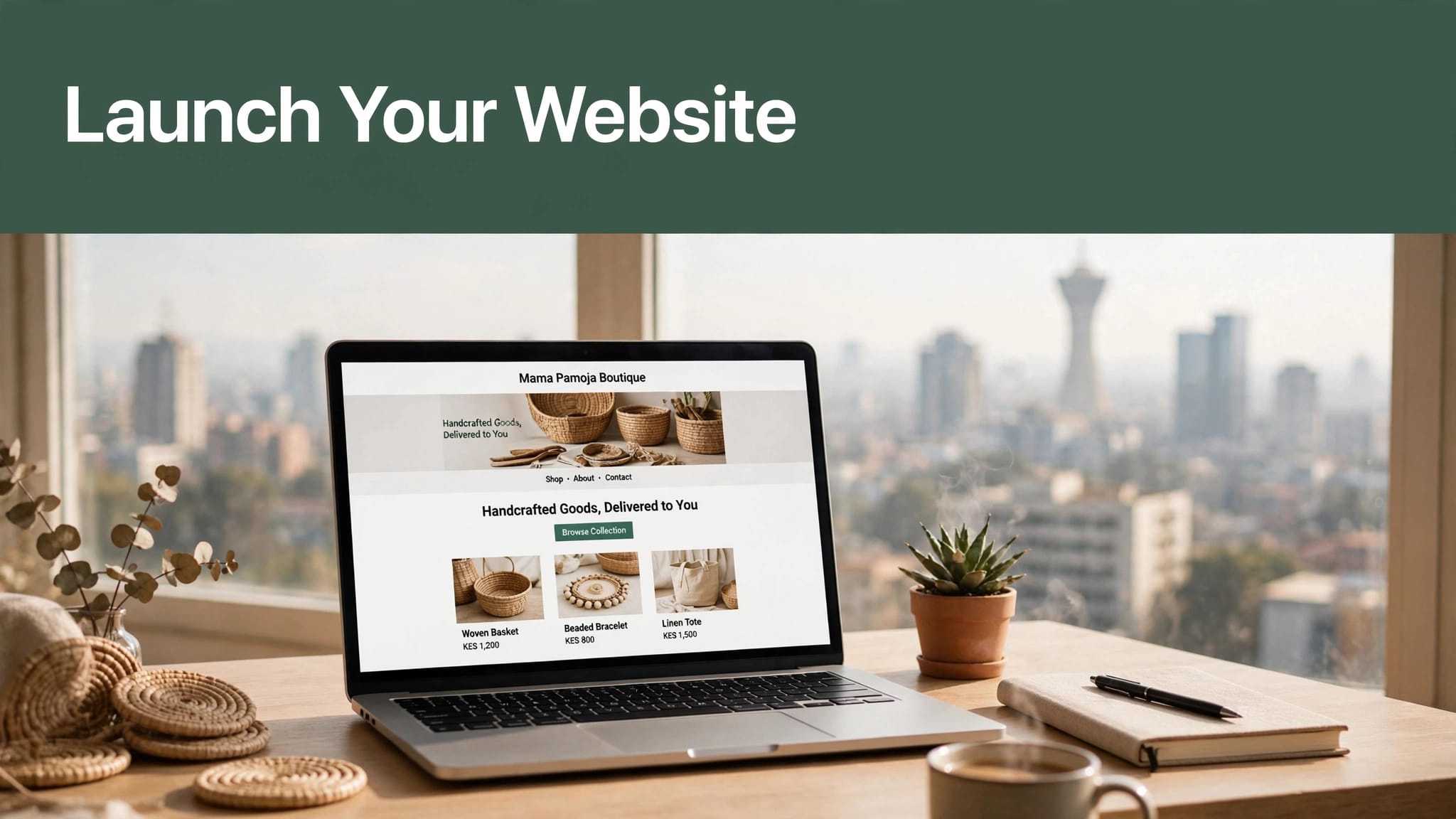
Review websites in your sector or with functions similar to yours. A developer who has built a shop may be better suited to a product catalogue than a team whose portfolio is mostly brochure sites. For a booking system, look for examples where visitors can actually complete a booking.
Check the live site on a phone. Notice whether text is readable, buttons are easy to tap, and pages load without distracting effects. We’ve also published a practical guide to website developers in Nairobi for businesses comparing local providers.
Search Beyond a Single Phrase
Useful search variations include Nairobi web development, website developers in Nairobi, and web development companies in Kenya. These terms can reveal different types of providers, but they don’t prove quality or suitability.
A phrase like best web designers in Nairobi is a search query, not a reliable ranking by itself. Compare the work, communication, proposed process, and support terms. If you need a designer as well as a developer, confirm whether the same provider handles both or manages a separate design partner.
Compare Portfolios and Proposals
A portfolio helps you assess visual quality and project relevance. It can’t show every technical detail, so use it to start a conversation rather than end one. Ask what the provider built, what tools they used, and which parts of the work are similar to your project.
If a portfolio only shows screenshots, request links to live sites. A screenshot cannot tell you whether the menu works, the site adapts to mobile, or the enquiry form reaches the right inbox.
Ask Focused Questions
Ask how the developer will plan the pages, gather content, design the layouts, build features, test the site, and prepare the launch. Their answers should make the work understandable without burying you in jargon.
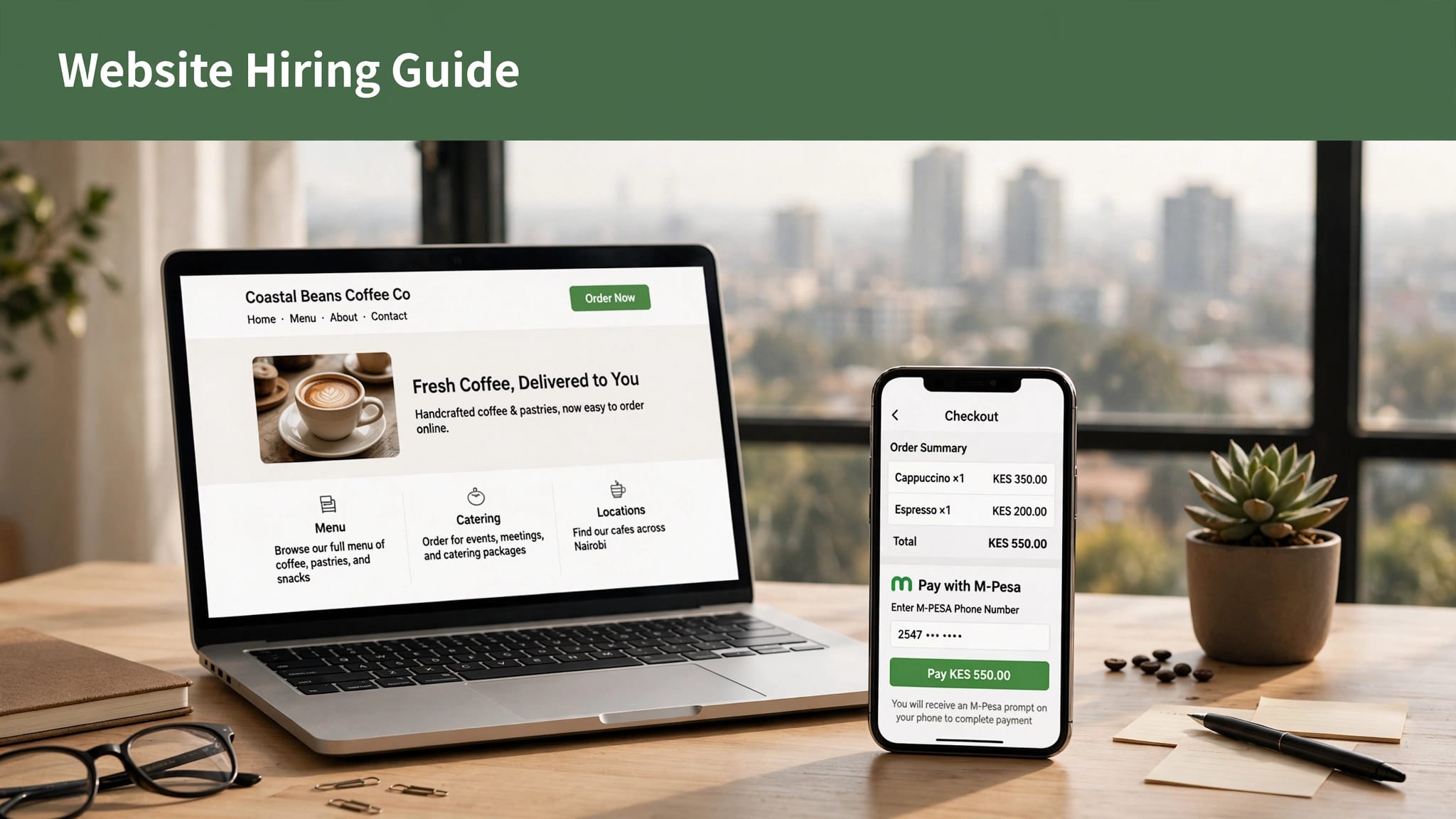
For example, ask how they would handle mobile layouts, spam protection on forms, page editing, backups, and staff training. If your site requires M-Pesa, request a clear explanation of payment setup and how successful payments will be recorded. A provider should be able to describe the process in terms you can follow.
Compare Like With Like
When reviewing proposals, compare the same deliverables. One quote may include content entry and training while another covers only design and development. A lower price is hard to assess if the scope is smaller or leaves recurring costs unclear.
A useful proposal identifies pages, features, milestones, expected inputs from your team, and what counts as additional work. Ask about recurring expenses such as hosting, domain renewal, premium extensions, payment services, and maintenance. Our guide to choosing website designers in Kenya offers more questions to use when reviewing providers.
Agree on Scope, Ownership, and Support
Put the agreed scope in writing before work starts. It should name the pages, functions, content responsibilities, review stages, payment schedule, and expected delivery date. It should also explain what happens if you request a feature outside the original scope.
A written agreement protects both sides by making expectations visible. It gives you a reference point if a feature is delayed or a recurring service differs from the original proposal.
Confirm Website Ownership
Your business should have access to the domain and the accounts needed to operate the website. Clarify who owns the design files, written content, images, custom code, and any paid themes or plugins. Ask how you can move the site if you change developers or hosting providers.
Some platforms have licensing limits or transfer steps. Make sure you understand those before committing. If the developer uses third-party tools, ask which subscriptions belong to your business and which are managed by the provider.
Define Revisions and Ongoing Work
Agree how many design review rounds are included and how you will submit feedback. A single contact person on your side can help consolidate comments and avoid conflicting instructions.
Support after launch should also be clear. Ask what it covers, how quickly urgent issues are handled, and whether updates, content changes, backups, and security checks are included. For website development services in Kenya, scope should connect design, functionality, and site upkeep rather than leave core responsibilities unassigned.
Prepare Content and Search Basics
A website needs clear, useful content before it can help customers. Start with the questions visitors are likely to ask: what you offer, who you serve, where you operate, how to contact you, and what happens next.
Write in the language your customers use. Avoid long introductions that delay the main point. A service page should explain the service, who it suits, and how a person can enquire. An online shop should make product details, delivery, returns, and payment steps easy to find.
Build Pages Around Real Search Needs
Search engine optimization begins with clear structure. Give each page a distinct topic, use descriptive headings, and write a concise page title that matches what the page contains. Add location information where it genuinely helps a local customer, such as a service area or office address.
Web design services in Nairobi should also account for mobile visitors. Many people will open a link through a messaging app or search on a phone. Use readable type, simple navigation, and compressed images so the important information appears without needless waiting.
Keep Business Details Consistent
Use the same business name, phone number, email, and physical location wherever they appear. Make sure contact forms send to an inbox someone monitors. If customers can message through WhatsApp, explain what happens after they tap the link.
Ask your developer to set up analytics only when you know what you want to measure. Useful measures might include submitted enquiries or completed purchases. A site does not need a large dashboard to be useful; it needs a few accurate ways to tell whether visitors are taking the actions you planned.
Accept Kenyan Online Payments
If your website sells online, payment setup should be part of the scope from the beginning. In Kenya, customers may expect M-Pesa, while some businesses also need card payments or bank transfers. The right combination depends on the price, customer, and order process.

Plan the M-Pesa Checkout Flow
Safaricom’s Daraja platform provides access to M-Pesa APIs for web and mobile payment integration. The Daraja Developer Portal describes its tools for connecting applications to M-Pesa services.
A developer may propose an STK Push flow, a gateway, or another supported setup. With STK Push, a customer receives a payment request on their phone and authorizes it there. The site should only mark an order as paid after it receives and processes a successful payment confirmation.
If your brief says “simcard tool kit,” clarify whether it refers to a SIM Toolkit feature or M-Pesa STK Push. Similar wording can point to different technical functions. Your proposal should state what the customer sees, how payment status is handled, what happens when a payment fails, and how the business receives transaction records.
Test Orders Before Going Live
Test the full customer journey, not only the payment button. Check that the correct amount appears, the confirmation reaches the customer, and the order record changes only after a successful payment. Test failed, cancelled, and abandoned payments too.
If you plan to accept cards, ask who provides the payment gateway and what payment methods it supports. A provider such as Pesapal offers access to M-Pesa and card payments, but the site’s payment flow and any fees should be stated in your proposal. Make sure staff know how to reconcile orders with payment records.
Meet Kenyan Business and Tax Requirements
Opening a website does not automatically create a registered business. However, a website that represents a business should use accurate business details and support the business’s applicable obligations.
If you need to register a business name or company, the Business Registration Service (BRS) handles registration information. Its business registration FAQ describes applying through the BRS eCitizen portal by selecting Companies Registry Services and making an application.
Keep the Website Consistent With Business Records
Use the correct business name and contact details on the site. If customers can place orders, include clear information about how to contact you and how the sale or service works. Don’t publish claims, prices, or policies that differ from what the business can provide.
The website developer can implement pages and forms, but your business remains responsible for its legal and commercial statements. If you are unsure how a business structure or sector-specific rule applies, get advice from a qualified Kenyan legal or tax professional.
Plan for Electronic Tax Invoices
KRA states that persons engaged in business are required to onboard eTIMS and issue electronic tax invoices. Its eTIMS information for businesses explains the official system and provides access to guidance.
A website checkout and eTIMS are related to business operations, but they are not the same system. Tell your developer whether your team needs invoice details collected during checkout or a connection to other business software. Avoid assuming a payment confirmation alone is a tax invoice.
Protect Customer Data and Privacy
A website that collects names, phone numbers, email addresses, delivery details, or payment-related information handles personal data. Decide what you need to collect and why. A form should not ask for personal information that has no clear use.
The site should explain how customer information is used, who can access it, and how people can contact the business about their data. Keep the wording accurate to your actual practices, including any third-party services that process form submissions, analytics, hosting, or payments.
Understand ODPC Registration Rules
The Office of the Data Protection Commissioner (ODPC) says an entity is exempt from mandatory registration only when it has both fewer than 10 employees and annual turnover or revenue below KSh 5 million. The exemption does not apply to specified activities or sectors.
The ODPC FAQ lists a KSh 4,000 registration fee for the micro and small tier, described for entities with annual turnover or revenue up to KSh 5 million and 1 to 50 employees. See the ODPC registration FAQs for the registration categories and the exemption framework.
Make Privacy Part of the Build
Ask the developer to use secure forms, restrict staff access, and avoid sending sensitive information through an unprotected email route. Use reputable services for payments and customer records. Your privacy notice should describe your real collection and use of data rather than rely on generic text copied from another company.
If a personal data breach poses a real risk of harm, a controller must notify the Data Commissioner without delay and within 72 hours of becoming aware. A processor must notify the controller without delay and, where reasonably practicable, within 48 hours. ODPC’s personal data protection handbook explains these reporting duties.

Secure, Test, and Launch the Site
A website can look finished while key parts still fail. Before launch, test the pages, forms, payments, links, and account access. Check the site on a phone and a desktop, and try it on more than one browser.
Make a list of the issues found, assign someone to fix them, and retest the affected features. This final pass catches problems that are easy to miss when reviewing static designs or screenshots.
Check Functionality and Security
Open every main page and follow the navigation. Test each contact form and confirm that messages reach the correct inbox. For a store, test product selection, delivery details, payment status, customer notifications, and the order record.
Ask about SSL, software updates, backups, spam controls, and admin access. SSL enables an encrypted connection between the website and its visitors, but a padlock alone does not make a site secure. Strong passwords, updated software, limited administrator access, and a recovery plan also matter.
Handle the Launch Details
Before publishing, confirm that the correct domain points to the production site. Check that old or temporary pages don’t appear in search results and that the site’s main contact details are correct. Make sure someone in the business can log in and update routine information.
A launch can be quiet or public, but the technical steps still need an owner. Agree who switches the site live, who handles urgent fixes, and how you will communicate if a problem appears. Keep a record of the domain, hosting, platform, payment, and analytics accounts.
Plan for Maintenance After Launch
A website needs attention after it goes live. Products change, staff move, software updates arrive, and customer questions reveal gaps in the content. Decide who will handle routine edits and technical care before the launch date.
Maintenance may include platform updates, backups, security monitoring, content changes, and troubleshooting. Ask which tasks are included in your hosting or support plan and which require a separate charge. A clear arrangement helps you avoid leaving essential work to chance.
Keep Content Current
Review contact details, hours, product information, prices, service descriptions, and policies regularly. Outdated details can frustrate customers even when the site itself works correctly.
Add new pages only when they help visitors. A well-maintained site with clear service information is more useful than a larger site full of thin, abandoned pages. If your business has seasonal updates, decide who gathers and publishes them.
Review Performance and Improve Deliberately
Use the measures that match your goal. If the site exists to generate enquiries, monitor whether forms are submitted and whether calls arrive. For an online shop, review completed orders and failed checkout steps.
Make changes based on what customers need and where they get stuck. Avoid installing tools or redesigning pages simply because they are available. A short monthly review can catch broken links and missing information before they become routine customer complaints.
Key Takeaways
- Begin with the website’s purpose and the action you want visitors to take.
- Compare developers by relevant live work, clear proposals, and included support.
- Keep domain and platform access in business-controlled accounts.
- Choose hosting and a website platform that fit the site’s actual features.
- If you sell online, define the M-Pesa or card payment flow and test successful and failed payments.
- Account for eTIMS and applicable data-protection duties in the business process.
- Test the live site on mobile before launch, then assign someone to maintain it.
Frequently Asked Questions
How Much Does It Cost to Open a Website in Kenya?
The cost depends on the website’s size, platform, features, content, hosting, and support. A simple company profile costs differently from an online shop or a custom portal. Ask for an itemized proposal that separates setup work from recurring domain, hosting, software, payment, and maintenance costs.
Do I Need a .co.ke Domain?
No. A .co.ke domain can make a Kenyan connection clear, while .com may suit a brand serving a wider international audience. Choose a name that is easy to remember and register it through the appropriate registrar.
Can I Build the Website Without Hiring a Developer?
Yes, a hosted website builder or a managed WordPress setup can suit a simple site if you have time to create and maintain it. Hire a developer when you need custom features, integrations, help with design, or reliable technical support. Compare the long-term work as well as the initial setup.
Can My Website Accept M-Pesa?
Yes. A site can accept M-Pesa through a supported integration, such as one using Safaricom’s Daraja APIs or a payment gateway. Ask how the payment confirmation reaches the site, how unpaid orders are handled, and what transaction records your team receives.
How Do I Choose Between Nairobi Web Designers and Developers?
Start with your requirements. A designer may focus on layout and brand presentation, while a developer may build the functions and integrations. Some providers handle both. Review similar projects and confirm exactly who will manage hosting, content updates, testing, and support.
Build a Website You Can Keep Using
Opening a website in Kenya takes more than choosing a design. You need a clear purpose, a suitable platform, secure domain and hosting access, and a developer who explains the work in practical terms.
We provide website development and hosting in Nairobi, alongside cybersecurity and business solutions. Whether you hire us or another provider, keep the project scope, ownership, payment setup, and maintenance responsibilities clear from the start.